

A smart home can make renting feel more comfortable, efficient, secure, and personal, but renters face a different set of rules than homeowners. You may not be allowed to replace hardwired switches, drill into walls, change locks, install exterior cameras, or alter the electrical system. You also need to think about what happens when your lease ends.
A smart home that is deeply built into the property can become a burden when it is time to move, while a portable smart home can come with you and work just as well in the next apartment, condo, townhouse, or rented house. The best strategy for renters is to build around local control, removable devices, strong wireless standards, and automations that do not depend on a landlord’s permission or a cloud service that may stop working later.
A local smart home is one where your devices can communicate and run automations inside your home network rather than relying entirely on remote servers. This matters for privacy, speed, reliability, and long-term ownership. If a motion sensor turns on a lamp through a cloud server, the signal may leave your apartment, travel across the internet, reach a company’s server, then come back to your home. That may work most of the time, but it can fail during internet outages, slow down when servers are busy, or stop functioning if a company changes its app.
With local control, the motion sensor can talk to a hub in your apartment, and the hub can turn on the lamp immediately. For renters, this is especially useful because the smartest parts of the setup can live in a small hub, plug-in devices, sensors, and bulbs that are easy to pack when you leave.
Before buying anything, think about what you actually want your smart home to do. Many people begin with exciting gadgets and end up with several apps, duplicate devices, and automations that do not solve real problems. A better approach is to list the routines you want to improve.
You might want lights that turn on softly when you come home, a fan that starts when the room gets warm, a dehumidifier that runs only when humidity rises, a notification if a water leak appears under the sink, or an entry sensor that tells you if a balcony door is left open. Renters often get the most value from comfort, energy savings, security awareness, and small daily conveniences rather than permanent upgrades.
Once you know your goals, choose devices that support those goals with the least disruption to the rental. For example, if you want better lighting, smart bulbs and smart plugs are easier than replacing switches.
If you want climate control, a plug-in temperature sensor and a smart plug for a fan may be more renter-friendly than changing a thermostat, especially if the building has central heating or cooling. If you want security, contact sensors, indoor cameras, and smart buttons can be installed without altering locks or door frames. The key is to prioritize devices that are useful now, easy to remove later, and flexible enough to work in different layouts when you move.
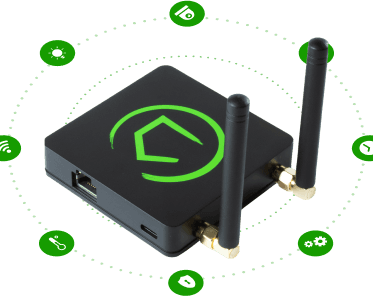
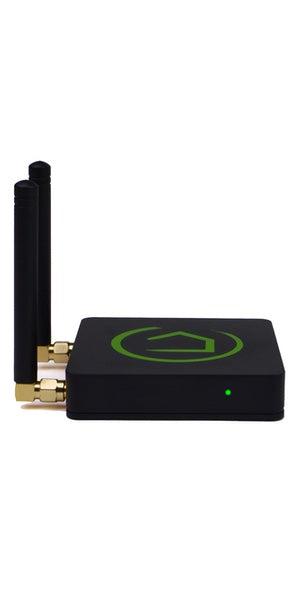
A portable smart home needs a brain, and the best brain for a renter is usually a small local hub. Popular choices include systems built around Home Assistant, Hubitat, Homey, Apple Home with a home hub, or other platforms that support local automations. The right choice depends on your comfort level. Home Assistant is powerful and highly flexible, especially if you like tinkering and want broad device support.
Hubitat is more appliance-like and focuses on local automation with less technical setup. Apple Home can be simple and polished if you already use iPhones and compatible devices, though advanced automation options may be more limited. The important point is to avoid building your entire home around a dozen separate cloud-only apps that cannot work together without the internet.
When evaluating a hub, look for support for Zigbee, Z-Wave, Thread, Matter, Wi-Fi, and local integrations. You do not need all of these immediately, but broad support protects you as your setup grows. Zigbee and Z-Wave are especially useful for renters because many sensors, plugs, buttons, and bulbs use them, they consume little power, and they can form mesh networks that improve coverage.
Thread and Matter are newer standards designed to improve compatibility across brands, and they are worth considering for future purchases. Wi-Fi devices can be fine, but too many cheap Wi-Fi gadgets can crowd your network, depend heavily on cloud apps, and create security concerns. A good hub helps unify these devices so your smart home feels like one system instead of a pile of separate products.
The renter-friendly smart home is built from devices that leave little or no trace. Smart plugs are one of the best starting points because they instantly add control to lamps, fans, humidifiers, air purifiers, coffee makers with physical switches, and decorative lighting. They require no tools, can be moved from room to room, and are easy to label and pack. Smart bulbs are another simple option, especially for floor lamps and table lamps.
They are less ideal for fixtures controlled by wall switches, because someone can turn the switch off and make the bulb unreachable, but they work very well in lamps you control directly. Smart light strips can add warmth under cabinets, behind desks, along shelves, or behind televisions, and many can be mounted with removable adhesive strips.
Sensors are another renter-friendly category because they are small, battery-powered, and usually mounted with adhesive. Door and window contact sensors can monitor entry points, closets, medicine cabinets, and storage areas.
Motion sensors can trigger lights in hallways, bathrooms, kitchens, and laundry spaces. Temperature and humidity sensors can help manage comfort, protect belongings, and prevent mold-prone conditions. Leak sensors are especially valuable in rentals because plumbing issues can become expensive and stressful quickly.
Place them under sinks, near a washing machine, beside a water heater if accessible, or near an aquarium. These devices are easy to take with you, and they often provide more practical benefit than flashier smart home products.
Some smart home upgrades are tempting but risky for renters. Smart switches, smart thermostats, video doorbells, smart locks, and wired cameras can be excellent in homes you own, but they may require permission in a rental. Replacing a switch can create electrical safety concerns and may violate your lease.
Changing a thermostat can affect heating and cooling systems that belong to the building. Replacing a lock may create access issues for maintenance or emergency entry. Installing a video doorbell may involve exterior mounting, wiring, or recording shared spaces, which can raise privacy and lease concerns. None of these devices are impossible for renters, but they require caution, written permission, and a plan to restore the property when you leave.
If you do receive permission, keep every original part in a labeled bag or box. Take photos before you change anything, document the wiring if applicable, and be prepared to reinstall the original device before move-out.
For smart locks, consider retrofit models that attach to the inside of the door and preserve the exterior keyway, because they are less visible and often easier to reverse. For thermostats, verify system compatibility and ask the landlord before installation. For doorbells and cameras, understand local recording laws and avoid pointing cameras into neighbors’ doors, windows, or shared private areas. A smart home should make your life easier, not create a dispute with the property owner or your neighbors.
A local smart home is only as good as the network connecting it. Even if many devices use Zigbee, Z-Wave, or Thread, your hub, phone, speakers, cameras, and Wi-Fi devices still depend on your router. Renters often rely on the router provided by an internet service provider, but those units may have weak coverage, limited settings, and poor device management.
If possible, use your own router or mesh system so you can keep the same network name and password when you move. This makes relocation much easier because your devices will reconnect automatically in the new home. If you must use the building’s equipment, consider placing your own router behind it, if allowed, to maintain control over your local network.
For better security, create a separate network for smart devices if your router supports it. This can be a dedicated internet of things network or a guest network with limited access. Keep your hub, phone, and trusted control devices on a network that can communicate with your smart devices as needed, but avoid giving every inexpensive gadget full access to laptops, work computers, and personal storage.
Use strong passwords, update firmware, and disable features you do not need. If you use cameras, choose models with local recording options and clear privacy controls. A local smart home is not automatically secure just because it runs locally, but local-first design gives you more control over what data leaves your home.
The magic of a smart home is not tapping a phone instead of flipping a switch. The magic is when the home responds naturally to your routines. In a rental, the best automations are usually simple, reliable, and based on sensors. A motion sensor can turn on a hallway lamp at low brightness after sunset and turn it off after several minutes with no movement. A contact sensor on the front door can trigger a welcome scene when you arrive home, turning on a lamp and setting a comfortable color temperature. A humidity sensor in the bathroom can turn on a smart plug connected to a fan or send a reminder to open a window if the humidity stays high. A leak sensor can send an urgent alert to your phone, play an announcement on a speaker, and turn a smart light blue so you notice it quickly.
Good automations include conditions, not just triggers. For example, a motion sensor should not turn on bright lights in the middle of the night if you prefer a dim path to the bathroom. A fan should not cycle too frequently based on tiny temperature changes. A presence-based automation should not unlock anything without careful safeguards. Think about how guests, roommates, pets, and unusual schedules affect your setup. If a roommate works nights, motion-based lighting in a shared room may be annoying. If you have a cat, a low-mounted motion sensor may trigger constantly. If you travel often, simulated occupancy lighting might be helpful, but it should feel natural rather than turning every light on at once. Local hubs are excellent for these nuanced rules because they can process sensor data quickly and consistently.
Smart lighting provides immediate comfort and is one of the most portable investments a renter can make. Start with lamps rather than ceiling fixtures. A few warm dimmable bulbs or smart plugs can transform a room without touching the wiring. Create scenes for morning, evening, movie time, work time, and sleep.
In the morning, lights can fade in gradually to make waking up easier. In the evening, lights can shift warmer to make the space feel calmer. When watching television, a light strip behind the screen can reduce eye strain and create a more polished atmosphere. In a home office corner, a brighter cool white lamp can help with focus during the day and then change to a warmer tone after work.
Physical controls are important. A smart home that only works through a phone is not friendly for guests or roommates. Add wireless buttons, scene controllers, or small remotes near entrances, beds, desks, and sofas. These can be mounted with removable adhesive or placed on a table.
A button by the bed can turn off the entire apartment, start a nighttime scene, and lower the thermostat if you have permission to use a smart thermostat. A button near the front door can turn off selected lights and appliances when you leave. This approach feels more natural than opening apps, and because wireless buttons are portable, they are perfect for renters.
Renters may not be able to upgrade insulation, replace windows, or install a new HVAC system, but smart devices can still improve comfort and reduce wasted energy. Temperature sensors can reveal hot and cold spots in different rooms.
Smart plugs can schedule fans, heaters that are safe for plug control, air purifiers, or dehumidifiers, though you must always check the power rating and safety guidance before connecting high-wattage devices. Smart blinds are possible in some rentals, but they can be expensive and may require careful mounting. A simpler option is using light and temperature data to remind you when to close curtains during hot afternoons or open them during sunny winter mornings.
If your lease and HVAC system allow a smart thermostat, it can be useful, but many renters can do well with portable climate automations. For example, if the bedroom temperature rises above a set point at night, a fan can turn on. If humidity in a closet or bathroom remains high, a dehumidifier can run for a limited time.
If an air quality monitor detects elevated particles while cooking, an air purifier can switch to a higher setting. These automations work in almost any rental because they rely on plug-in appliances and portable sensors. When you move, you simply unplug them, remove the sensors, and recreate the rules in the new space.
The easiest time to prepare for moving is the day you install your first device. Use a consistent naming system, such as room plus device type, so your hub is easy to understand later. Examples include Living Room Lamp, Bedroom Motion, Kitchen Leak Sensor, and Entry Button.
Keep a simple inventory with device names, brands, battery types, pairing instructions, and the room where each device is used. Save original boxes if you have space, or keep small devices in labeled pouches. For adhesive-mounted sensors, use quality removable strips and keep spare adhesive in your moving kit. Avoid permanent cable clips, wall anchors, and aggressive tapes that can damage paint.
When it is time to move, export or back up your hub configuration if your platform allows it. Take screenshots of important automations, especially if they rely on room layouts you may want to adapt later. Remove devices carefully, clean adhesive residue, reinstall any original hardware, and test that the rental has been restored.
In your new home, set up your router first with the same Wi-Fi name and password if possible, then power on your hub and plug in devices room by room. Some automations will need adjustment because the new layout will be different, but your investment will survive the move. That is the central advantage of a renter-friendly local smart home: it is not tied to one address.
A portable local smart home does not need to be expensive all at once. Start with a hub, a few smart plugs or bulbs, and a couple of sensors that solve real problems. Add devices after you have lived with the first automations for a few weeks. This slow approach helps you avoid buying products that do not fit your routines. It also gives you time to learn which wireless standards perform best in your space.
Thick walls, metal doors, concrete construction, and crowded apartment Wi-Fi can affect reliability. Sometimes adding a powered Zigbee or Z-Wave plug in the middle of the apartment strengthens the mesh and improves sensor response. Sometimes replacing one unreliable cloud device with a local model solves more problems than buying several new gadgets.
Think of your setup as a portable kit rather than a renovation. Your core kit might include a local hub, a router, smart plugs, smart bulbs for lamps, contact sensors, motion sensors, leak sensors, temperature and humidity sensors, wireless buttons, and perhaps a camera or air quality monitor. This kit can adapt to a studio apartment, a shared rental, or a larger home later. The value is not only in the devices but in the system you build: automations that match your habits, a network you control, and a privacy-first design that does not depend on your landlord or a single manufacturer’s cloud.
Renting does not mean you have to settle for a basic, impersonal living space. With the right approach, you can build a smart home that feels responsive, comfortable, and secure while respecting your lease and protecting your deposit.
The best renter-friendly smart home is local-first, wireless where possible, reversible, well-documented, and built around everyday needs. It uses smart plugs instead of rewiring, sensors instead of assumptions, removable controls instead of permanent panels, and a portable hub instead of a property-specific installation. It avoids unnecessary dependence on cloud services and keeps your routines working even when the internet is down.
Most importantly, a local portable smart home belongs to you, not to the apartment. When you move, the intelligence of the home moves with your hub, your devices, your automations, and your knowledge.
The next space may have different rooms, different light, different quirks, and different challenges, but you will not be starting from zero. You will bring a tested foundation that can be unpacked, adapted, and improved. For renters, that is the smartest upgrade of all: a home that feels custom while you live there and remains yours when it is time to go.
March 21, 2023
March 21, 2023
March 21, 2023